
SaaS Data Backup & Recovery
Protect Your SaaS Data. Recover When You Need It.
Back up your Google Workspace and Microsoft 365 data with Eye On Vault, and keep an independent, secure copy of your critical business information.

An independent, secure copy of your data
Why do businesses need SaaS backup?
Your SaaS provider keeps your applications running - but protecting your business data is a separate responsibility.
Eye On Vault gives you independent backup and recovery for Google Workspace and Microsoft 365. It helps you keep and restore important business data when it is deleted by mistake, attacked, or lost.
Backup for Google Workspace
Gmail · Drive · Calendar · Contacts · Chat
Backup for Microsoft 365
Exchange · OneDrive · SharePoint · Teams
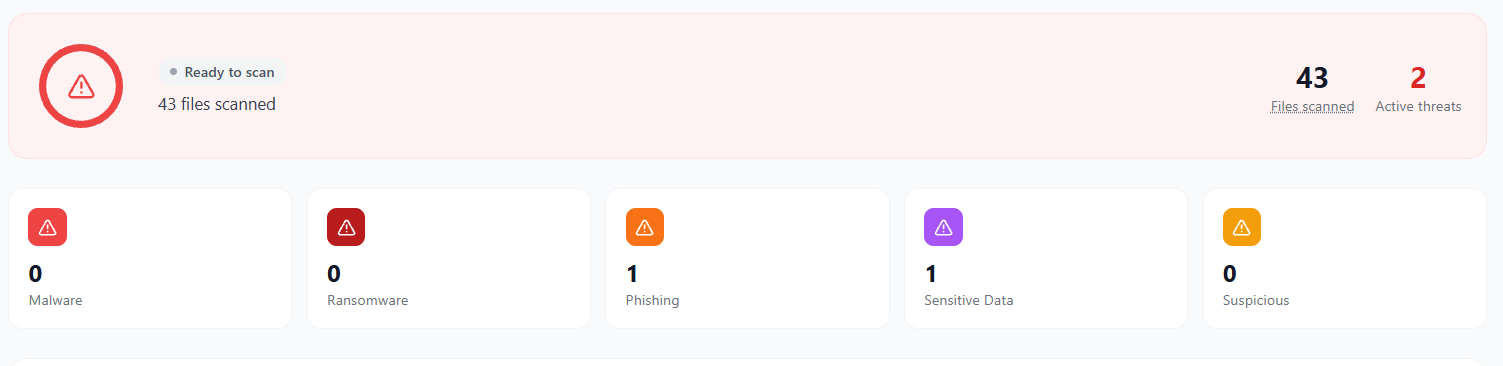
How does Eye On Vault protect you from ransomware?
Eye On Vault checks every backup for malware, ransomware, phishing and sensitive data. Your files are scanned, not just stored.
If ransomware damages your live data, you can restore it from a backup taken before the attack.
Restore exactly what you need
Go back to any completed backup, not just the latest one. Restore a single email, file or calendar event or a whole mailbox or drive.
Not sure where something is? Search by keyword or file name across all services and dates, from one search bar.


Built for security and compliance
You choose where your backup data is stored, so it stays in the region your compliance rules require.
See your security and compliance status on one screen. Every admin action is recorded, so you always know who did what, and when.
Backups can't be deleted quietly. Every delete request waits until an admin approves it.
Everything you need, built in
Backup, security and control features come built into one platform for both Google Workspace and Microsoft 365.
Scheduled backups
Set it once. Backups run on schedule, with no one needing to start them.
Incremental backups
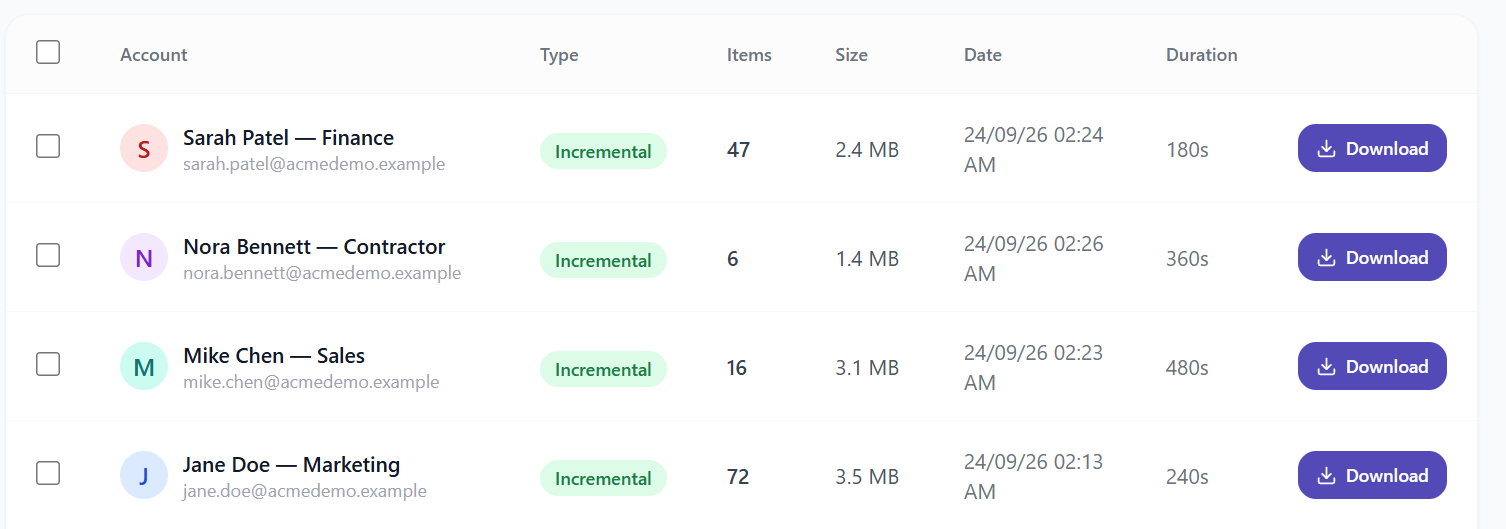
After the first full backup, only what changed is copied, so daily backups stay fast.
Live job monitoring
See the status, progress and size of every backup while it runs.
No duplicate files
The same file is stored only once, which saves storage space.
Encrypted data
Your data is encrypted while it moves and while it is stored.
Data loss prevention
Get alerts when backed-up files hold data that should not be shared.
Roles and MFA
Admin, operator and viewer roles give each person only the access they need.
Legal and HR export
Find and export data for legal or HR requests, without touching your live data.
Frequently Asked Questions
What is Eye On Vault?
Eye On Vault is Eye On Bits' SaaS backup and recovery solution for Google Workspace and Microsoft 365. It helps protect your business data from accidental deletion, ransomware, data loss, and employee offboarding (when staff leave the company).
Do I need a separate backup if Google or Microsoft already stores my data?
Yes. Google and Microsoft keep the service running, but their built-in retention is not made for disaster recovery. A permanently deleted mailbox or a Drive hit by ransomware may not be recoverable with their tools. Eye On Vault keeps an independent copy that you can restore from.
What data gets backed up?
For Google Workspace: Gmail, Drive, Calendar, Contacts and Chat. For Microsoft 365: Exchange, OneDrive, SharePoint and Teams. Backups run automatically on schedule.
Where is our data stored?
You choose the storage region, so your data stays where your compliance rules require.
Is our data encrypted?
Yes. Data is encrypted in transit and at rest. Access is limited to your admins, and to Eye On Bits engineers only when needed for support.
Can Eye On Vault help with legal or HR requests?
Yes. You can search across all backed-up mailboxes and drives, then export what you need without touching your live data.
See Eye On Vault in action
Tell us which platform you use — Google Workspace or Microsoft 365 — and we'll set up a demo for you.